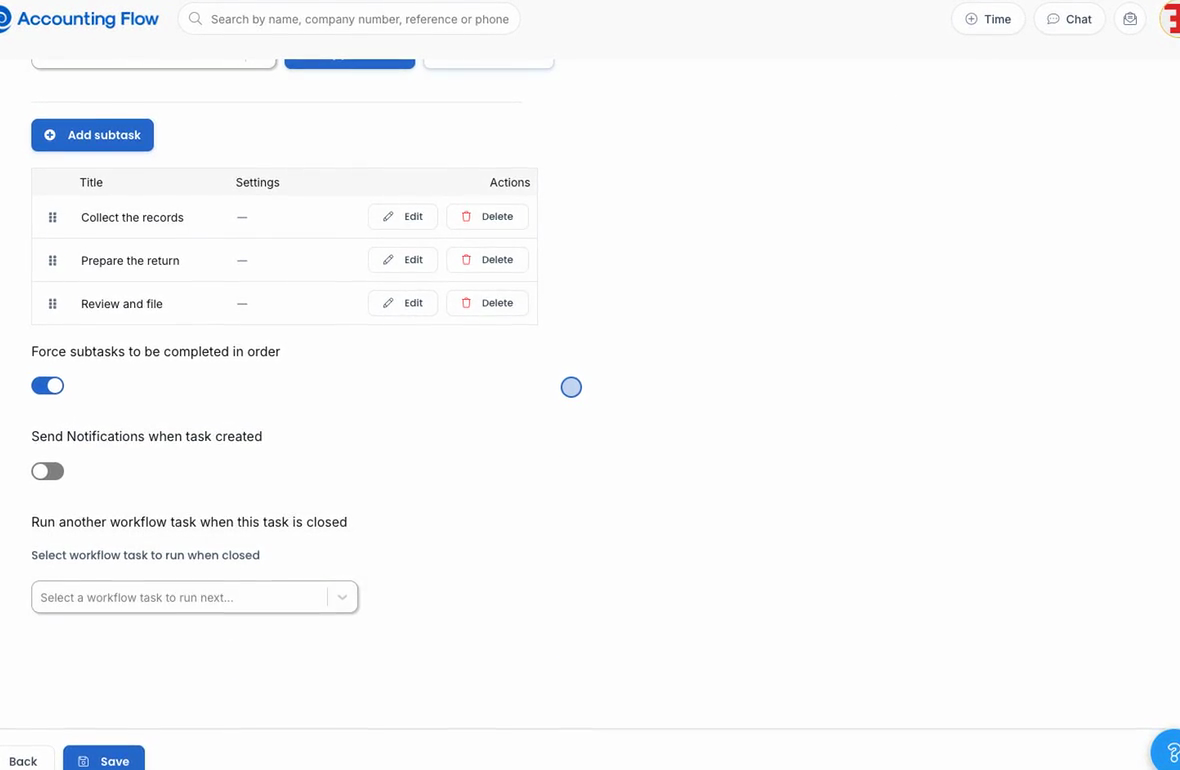
Two ways to put work on the board
Some jobs are identical every quarter. Some need a judgement call. AccountingFlow now has a way to automate each, and neither needs a developer.
 Accounting Flow
AI agents
Point an AI agent at a list of clients or jobs, tell it what to look for, and let it work through them on a schedule. It drafts, proposes and reports — a person always approves.
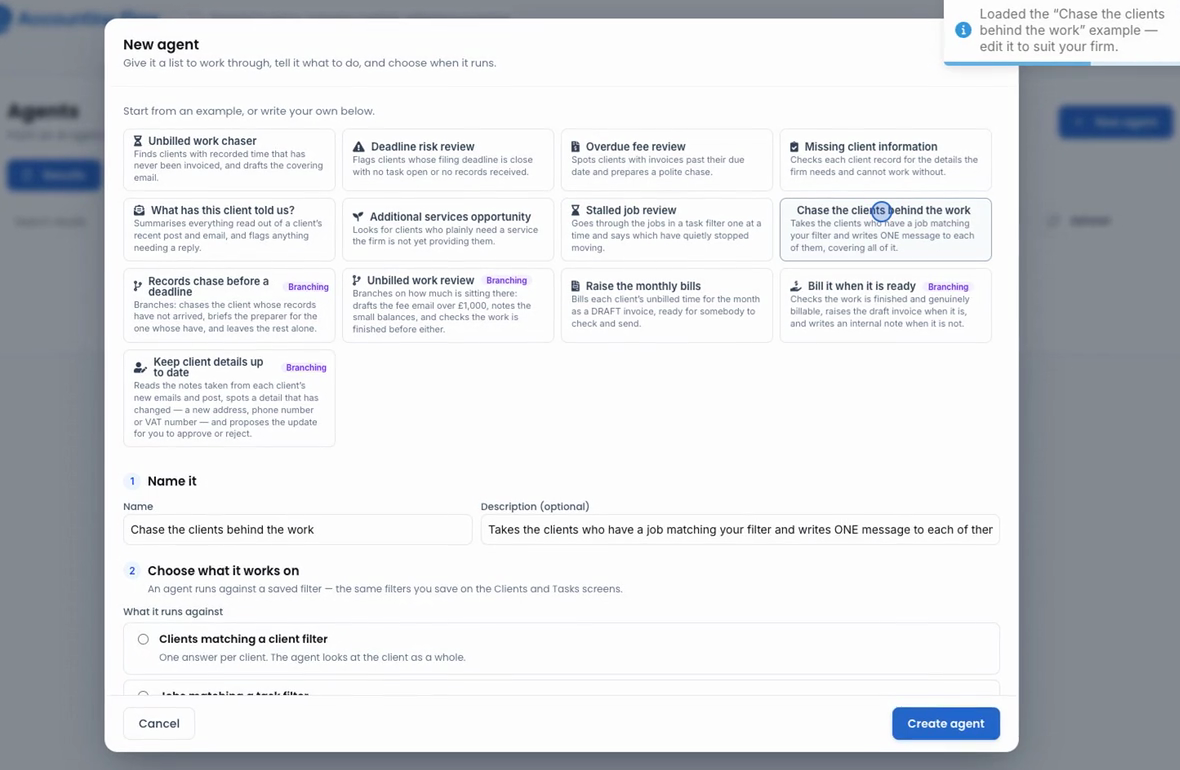
An agent can run against a saved client filter, a saved task filter, or the clients that have a job matching a task filter. That choice decides what one unit of work is — and so what the agent can sensibly say.
"Review every VAT return still in preparation" is a question about jobs. "Write to every client who has one" is a question about clients: one email, not one per return.
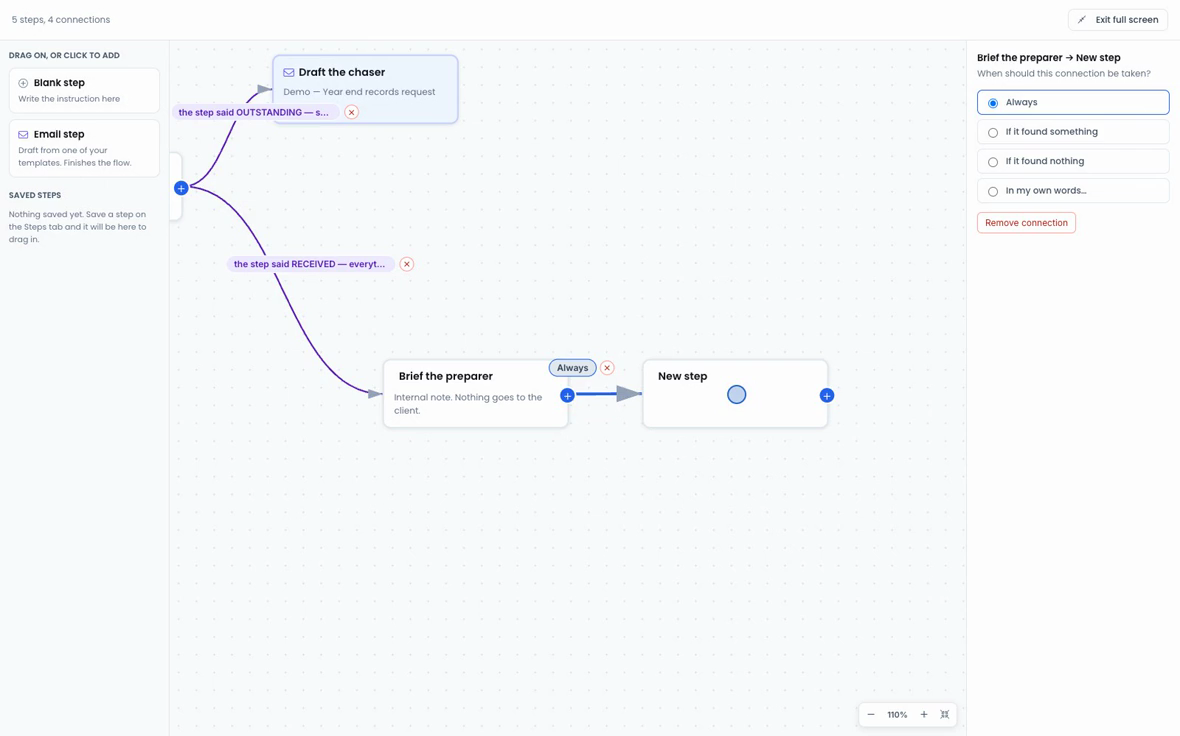
Wire steps together on a canvas, where every connection says when it is taken — always, on what the step found, or on what it didn't. Save a step to your firm's library and reuse it in any agent.
A flow is stored on the agent, so its schedule, its filter, its safety limit per run and its notifications all come along unchanged.
Unattended software writing to the practice record deserves scrutiny, so the constraints are worth being specific about.
Some jobs are identical every quarter. Some need a judgement call. AccountingFlow now has a way to automate each, and neither needs a developer.
Clients tell you things in passing: a new address, a new VAT number. An agent now reads their emails and post, spots what changed, and proposes the update — with nothing saved until someone approves it.
An agent that finds out the return was filed used to tell a person, whose next act was to tick the box saying exactly that. Agents can now tick it themselves, raise a draft invoice and write the email — inside fences worth understanding.
"Review every VAT return still in preparation" and "write to every client who has one" are different questions, and they need different answers. Agents can now be targeted three ways.
The instruction that took three attempts to get right should not live inside whichever agent happens to have it. Save a step once, drop it into any flow — and it copies rather than links, on purpose.
An agent is a job you describe once and point at a list of clients or jobs. It works through them on a schedule, decides case by case, and reports what it found. You build it from an example in the app — no developer, no integration project.
No. Agents draft and propose; a person approves. Emails and invoices are created as drafts, and a proposed change to a client record shows what the record says now, what it would say and why, and saves nothing until someone at the firm approves it.
Read a client’s emails, post and job history; chase records before a deadline; spot details that have changed on a client record; tick off a job’s subtasks once the work is done; raise a draft invoice from unbilled time; and write the covering email, including when none of your templates fits.
Writing is off by default and set per agent. An agent can only tick subtasks, never untick, create or delete them, and it obeys the same rules the screen does — admin-only subtasks and enforced ordering are refused. Every row it touches is labelled "Accounting Flow AI" with a timestamp.
On the same repeat logic as workflow tasks: daily, chosen weekdays, a day of the month, the last working day of the month (stepping back off a weekend), or the nth weekday such as the second Tuesday. Narrow any of those to chosen months for quarterly or annual runs.
Two minutes, and it uses your own numbers.
Open the ROI calculator