 Accounting Flow
Dashboards built around your firm
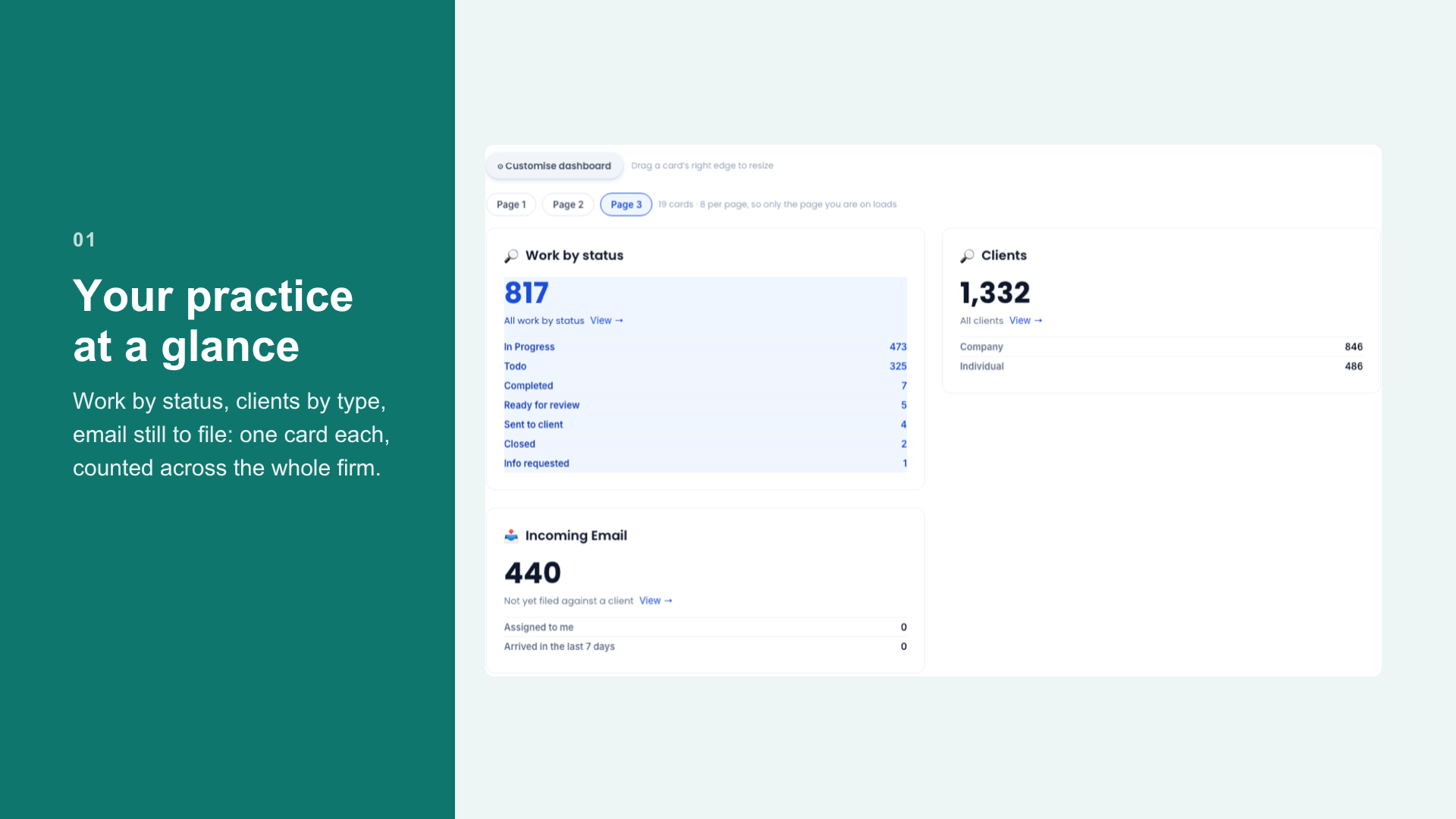
Your home screen is now yours to build: put any saved filter on it as a count, a table or a breakdown, set cards that look ahead and turn red when something needs attention, then share the layout with the practice.
Most practice dashboards show you what somebody else thought a practice ought to care about. That is fine until the week your firm is chasing records for forty year-ends and the screen is still cheerfully reporting a figure nobody is going to act on.
So the home dashboard in AccountingFlow is now something you assemble. Any saved task or client filter you already use can go on it, and you choose the shape it takes.
Start from a filter you already trust
The important part is that these are not a separate reporting layer with its own definitions. A card is built from a saved filter — the same filter you use on the Tasks or Clients screen — so the number on the dashboard and the list you open from it can never drift apart. Click through and you are looking at the rows that made the number.
- A count, for the figure you check every morning
- A table, when you need to see which ones
- A breakdown, when the split is the point — work by status, clients by type, email still to file
Cards that look ahead
A count of what has already gone wrong is a postmortem. The cards that earn their place are the ones looking at the next few weeks, and those can be set to turn red when they cross a threshold you set — so the dashboard is quiet when things are fine and loud when they are not.
Then share it
Save a layout as a named dashboard and it can go to the whole practice. Partners can have a different one from managers, and the person running the year-end pipeline can have a screen built entirely around that, without anyone maintaining a spreadsheet to do it.
The dashboard and the list behind it are the same filter, so they cannot disagree.